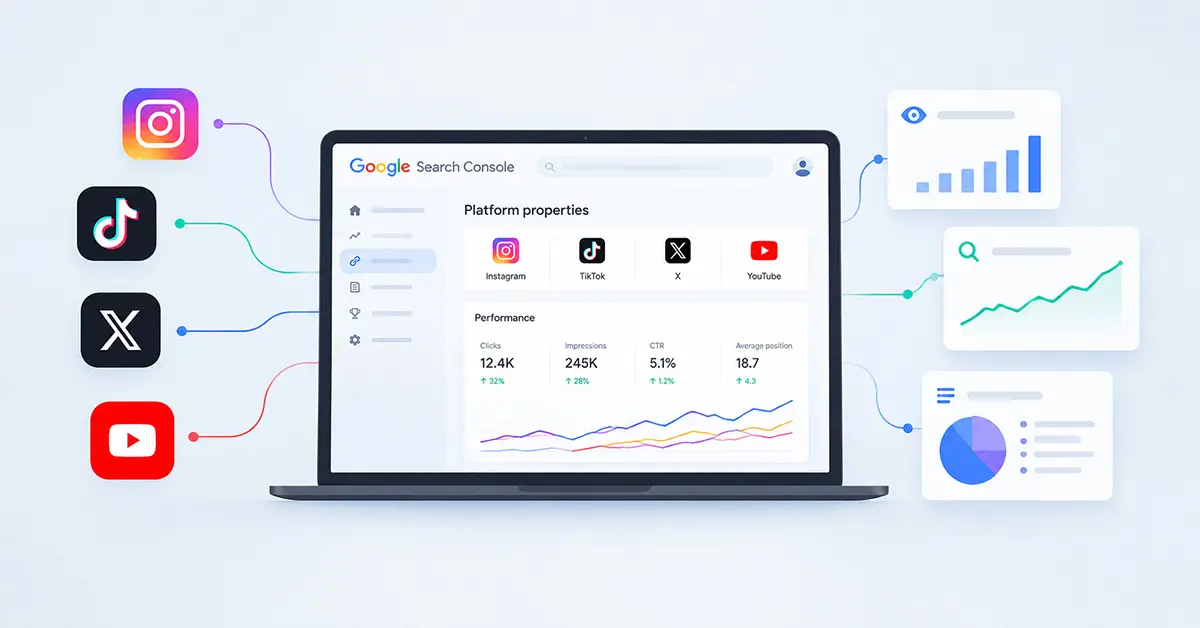
Google Search Console has introduced Platform Properties for social media, giving users a new way to track the visibility and performance of content from platforms such as Instagram, TikTok, X, and YouTube across Google Search, Discover, and Google News. Announced on July 7, 2026, the feature was made available globally on July 29, 2026. This update provides greater insight into how social media content appears across Google and helps marketers connect social performance with search visibility. In this article, we’ll cover what Platform Properties are, how to set them up, and how marketers can use them to improve their content strategy.
Table of Contents
What Are Platform Properties?
Traditionally, Search Console focused primarily on website properties, such as domains and URL-prefix properties. The introduction of Platform Properties changes this by adding a third property type for accounts that you may not technically “own” in the traditional sense, but for which you want to monitor content performance. This reflects the broader shift in how search visibility is evolving in 2026, with content discovery extending beyond traditional websites.
After adding and verifying a supported social or video account, it will appear as a property in Search Console, granting access to various performance reports for that platform. Platform properties provide access to three key areas in Search Console: the Performance report, the Insights report, and the Achievements section. The Insights report offers valuable information, while the newer Achievements section tracks milestones, such as reaching a specific number of clicks within 28 days.
How Does It Help?
Before this update, marketers who implemented both SEO and social media strategies faced the challenge of piecing together data from separate dashboards. There was no reliable way to answer fundamental questions such as:
- How often does our TikTok or Instagram content show up in Google Search results?
- What search terms lead people to our YouTube videos or X posts?
- How many clicks do our social profiles or videos receive from Google?
Platform Properties bring this information into Search Console, making it easier to analyze social and video content alongside your other Search Console data.
How to Set Up Platform Properties?
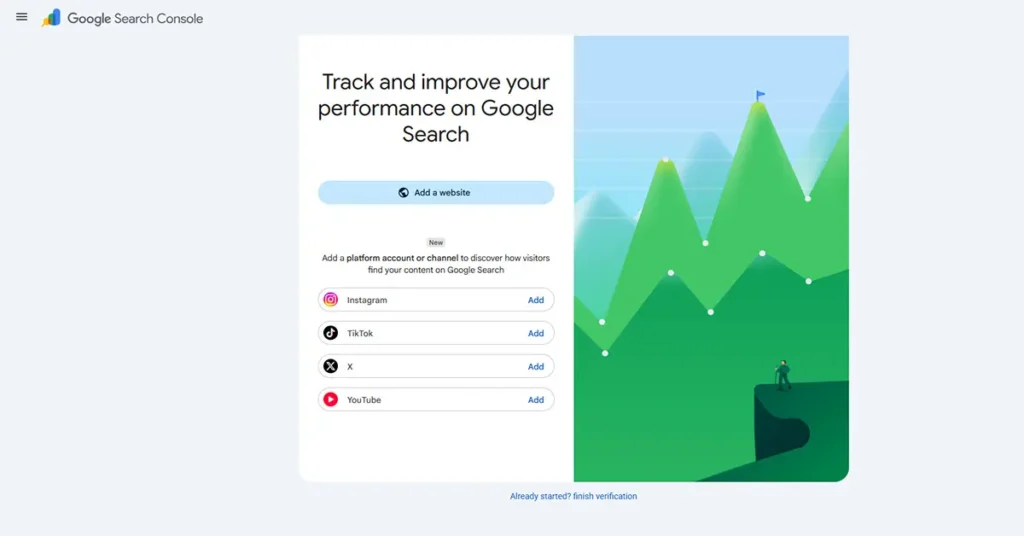
Adding a Platform Property is similar to adding other properties in Search Console. Depending on the account, verification can be completed through an automated connection with an existing website property or by logging in directly to the supported platform.
- Open Google Search Console and sign in with the account you use for your other properties.
- Click the property selector in the top-left corner and choose “Add property.”
- Select one of the four supported platforms: Instagram, TikTok, X, or YouTube.
- Follow the onscreen verification steps to securely authorize the connection.
Once verification is complete, open the new property from the Search Console property selector.
After setup, allow some time for performance data to become available. Each social account must be added and verified separately, so agencies or brands managing multiple profiles will need to repeat the process for each.
What Can You Track With Platform Properties?
Once verified, you gain access to several useful metrics:
- Clicks: The number of clicks your content receives from Google surfaces, as reported by Search Console.
- Impressions: How often your content appeared in Google results or other eligible Google surfaces.
- Search queries: The queries users searched for when your content appeared in Google.
- Traffic trends: Insights into how traffic to your platform content changes over time.
This data can be filtered, sorted, and exported, just like standard website performance data, making it easy to fold into existing reporting workflows.
Who Should Use This Feature?

- Digital marketers and SEO professionals looking to connect content strategy with actual search behavior.
- Social media managers who want proof of how their posts drive discovery beyond the platform itself.
- Content creators without a traditional website who previously had limited access to Search Console data for their social content.
- Brands and agencies managing multiple accounts across platforms.
Best Practices for Getting the Most Out of It
- Compare search performance across formats, such as short-form versus long-form video.
- Use Search Console annotations to mark changes, such as updating a title or caption, and compare those dates with subsequent performance trends.
- Pair platform data with your website’s Search Console property to see the full discovery picture.
- Revisit older posts that are regaining search traction and consider refreshing or repromoting them when appropriate.

Ajmal has a background in Communicative English and works across digital marketing, web development, content creation, and related digital areas. At Oratraex, he focuses on gaming, digital marketing, technology, and emerging digital trends, helping readers understand content that matters in the digital world.